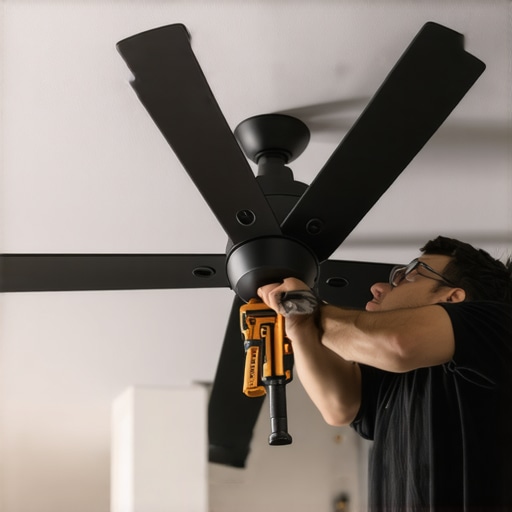
The Anatomy of a Ceiling Fan Death-Spiral
Listen to that rhythm. That rhythmic, syncopated thudding against your ceiling joists isn’t just an annoyance; it’s the sound of mechanical failure in slow motion. I’ve spent 35 years as a forensic inspector, and I’ve seen what happens when that ‘thud’ turns into a ‘crash.’ People treat ceiling fans like they’re just fancy light fixtures, but from a physics standpoint, you’re hanging a gyroscopic weight that generates hundreds of pounds of dynamic force. If you haven’t performed a power quality analysis or checked the structural integrity of your box lately, you’re basically living under a guillotine. My journeyman used to smack my hand if I stripped a wire with a knife. ‘You nick the copper, you create a hot spot,’ he’d scream. ‘That nick is where the wire snaps after three years of fan vibration.’ He was right. In 2026, with the move toward high-torque DC motors and integrated smart-home sensors, the margin for error has vanished. If your workshop electrical setup includes a budget fan from a big-box store, you’re already fighting an uphill battle against physics.
“Boxes and enclosures used as the sole support of a ceiling-suspended (paddle) fan shall be listed, shall be marked by their manufacturer as being suitable for at least 32 kg (70 lb).” – NEC 314.27(C)
1. The Foundation: Beyond the ‘Handyman’ Box
The number one cause of a wobbling fan isn’t the blades; it’s the box. Most DIYers look at a standard plastic 4-O box and think, ‘Yeah, that’ll hold.’ It won’t. Those boxes are designed for static loads—the weight of a light fixture that just sits there. A fan is a dynamic load. As it spins, it creates harmonic resonance. I’ve performed electrical inspections where the fan had literally vibrated the mounting screws through the plastic tabs of a non-rated box. You need a steel saddle box or an expandable heavy-duty brace that bites into the joists. If you’re doing a tiny home wiring project, this is even more critical because the structural members are often smaller, and vibrations travel further. Don’t trust your tick tracer to tell you if the box is secure; get up there with a wrench and verify the torque. If that box moves even a millimeter when you pull on it, your fan will dance until it dies.
2. The Physics of Cold Creep and Mechanical Fastening
When we talk about outlet switch repair or fan installs, we have to talk about metallurgy. In older homes, specifically those from the mid-century era, we deal with the nightmare of aluminum wiring. Aluminum is soft. It suffers from ‘Cold Creep,’ a phenomenon where the metal expands and contracts at a different rate than the steel screws holding it in place. Over time, the vibration of a ceiling fan accelerates this loosening. A loose connection creates resistance. Resistance creates heat. Heat creates a fire. Even with copper, you need to be precise. I use a torque screwdriver on every terminal. You want 12 to 15 inch-pounds of pressure. Anything less, and the vibration will back that screw out. For 2026 installations, especially in a workshop electrical setup, I recommend using vibration-resistant lock washers on the mounting bracket. If you’re unsure, remote electrical diagnostics can sometimes pick up the electrical ‘noise’ of an arcing connection caused by vibration, but nothing beats a physical inspection.
3. Blade Tracking and the Aerodynamic Fulcrum
Most people think balancing a fan is about the weights. It’s not. It’s about tracking. If one blade is sitting 1/8th of an inch higher than the others, it’s catching the air at a different angle. This creates an aerodynamic imbalance that no amount of sticky-weights can fix. Use a yardstick to measure the distance from the tip of each blade to the ceiling. If they aren’t identical, you have a bent blade iron. This is where ‘Component Zooming’ matters: look at the casting of the blade iron. If there’s a hairline fracture or a casting void, the centrifugal force at high speed will cause that metal to flex. For those integrating speaker system setup components or network cable installation near the fan, remember that a wobbling fan creates electromagnetic interference (EMI) that can degrade your signal quality. A stable fan is a quiet fan, both mechanically and electrically.
“Aluminum wire connections can overheat and cause a fire without tripping the circuit breaker.” – CPSC Safety Alert 516
4. The Subpanel and Harmonic Distortion
If you’ve recently performed a subpanel installation to power a workshop electrical setup or an electric gate opener, you might notice your fan hums or wobbles more when other motors are running. This is often due to harmonic distortion in the power line. Modern DC fan motors are sensitive to the ‘cleanliness’ of the sine wave. If your power quality analysis shows high levels of Total Harmonic Distortion (THD), the motor’s internal magnets will fight the incoming current, causing a micro-stutter that manifests as a wobble. This is a common issue when people try to DIY a remote electrical diagnostics system without understanding the load requirements. If your fan is on the same circuit as a heavy induction motor, you’re asking for trouble. Always run a dedicated ‘Home Run’ to the panel for high-performance fans, especially in a tiny home wiring scenario where circuits are limited.
5. Downrod Dynamics and the Lever Effect
Length matters. A 12-inch downrod is a lever. Any vibration at the motor is magnified by the length of that rod. If you’re installing a fan on a vaulted ceiling, you need to ensure the hangar ball is fully seated in the groove of the bracket. I’ve seen ‘pros’ leave the ball slightly tilted, which prevents the fan from self-leveling. I use ‘Monkey Shit’ (duct seal) inside the canopy in very specific instances to dampen minor vibrations, but that’s a trade secret for the stubborn ones. For lighting installations made easy, don’t overlook the downrod’s sway. If you have an electric gate opener or other high-draw appliances nearby, ensure your grounding is solid. A poor ground can allow stray voltage to sit on the fan frame, creating a capacitive coupling effect that attracts dust and causes imbalanced weight on the blades over time. Refer to the expert troubleshooting guide if the motor starts making a clicking sound; that’s usually the start of a mechanical failure.
The Forensic Conclusion
Installing a fan isn’t a ‘handyman’ job. It’s an engineering task. From ensuring your network cable installation isn’t being interfered with by motor noise to verifying that your subpanel installation can handle the startup surge, every detail counts. If you’re struggling with a persistent wobble, it’s time to stop guessing. Check out proper lighting installation techniques to see where you might have cut corners. Electricity doesn’t care about your aesthetic; it only cares about the path of least resistance and the laws of physics. Torque your screws, balance your blades, and for heaven’s sake, use a rated box. If you’re still seeing a wobble, contact us before that fan decides to vacate the ceiling and meet you on the floor. Sleep better knowing your home isn’t a ticking time bomb of loose Romex and vibrating steel.