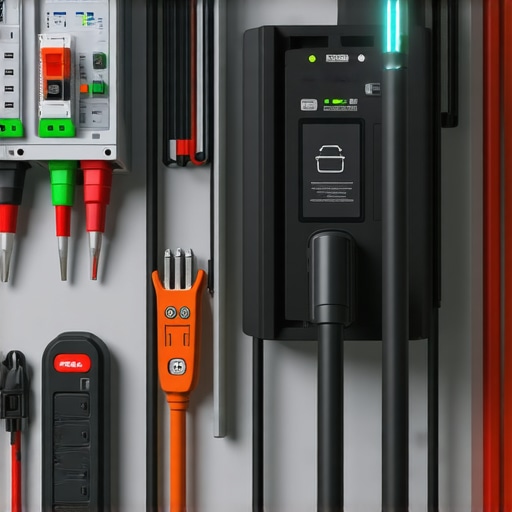
Ever found yourself staring at a flickering light or an EV charger that simply refuses to work, feeling that frustrating knot tighten in your stomach? I’ve been there—thought I knew enough to fix it myself, only to realize I’d overlooked some basic yet crucial troubleshooting steps. Those moments taught me a lot about how vital it is to understand the common pitfalls and reliable solutions when dealing with smart electrical systems at home.
Why Your Smart Lighting and EV Chargers Can Be Tricky
When I first installed my smart lighting system and EV charger, I assumed everything would run smoothly. After all, they’re designed to be user-friendly, right? Well, not always. Sometimes, a tiny wiring slip or a software glitch can throw a wrench in the works. It’s easy to get overwhelmed, especially when your home’s comfort and efficiency depend on these devices. That’s why knowing the top troubleshooting tips can save you hours of frustration—and even potential safety hazards.
In this post, I’ll share my personal experience and proven strategies to troubleshoot lighting and EV charging issues effectively. Whether it’s a flickering bulb, a charger that won’t start, or intermittent connectivity, I’ll guide you through practical solutions that really work. Plus, I’ll point you toward trusted resources, like expert EV troubleshooting tips, to deepen your understanding.
Have you ever faced a problem that seemed to come out of nowhere, leaving you guessing what went wrong? You’re not alone. I made that mistake early on—assuming that modern devices are foolproof. It’s a common trap that can lead to more confusion or even damage. That’s why I emphasize the importance of methodical troubleshooting, starting with simple checks before diving into complex fixes.
So, if you’re tired of guessing why your lighting flickers or your EV charger stalls, stay tuned. We’ll go through step-by-step troubleshooting methods to get your systems back on track efficiently and safely. Ready to become your own home electrical hero? Let’s dive in!
Start with a Visual Inspection
When I faced a flickering light in my living room, I first checked the bulb and socket. Sometimes, the simplest issues like a loose bulb or faulty socket cause flickers. Turn off the lighting and unscrew the bulb. If it looks worn or the socket is damaged, replace them. If the bulb is fine, inspect the wiring connections behind the fixture, especially if you recently did any electrical work. Loose or disconnected wires can cause intermittent flickering. This initial step is crucial and often solves common issues before more complex troubleshooting is needed.
Verify Power Supply and Circuit Breakers
Next, I checked the circuit breaker. If your EV charger or lighting is not working, the breaker might have tripped. Find your main panel and see if the breaker labeled for that circuit is in the OFF position or looks flicked. Reset it by switching off and then on again. Sometimes, a breaker trips due to overload or a short circuit. If the breaker keeps tripping, it’s a sign of a deeper wiring issue that requires professional attention. Remember, safety first—never bypass circuit breakers.
Test the Smart Devices for Connectivity
For smart lighting or EV chargers, connectivity plays a big role. I use the app or control panel to see if the device shows any error messages. If it’s offline, try reconnecting it. Restart the device by turning it off and on again or performing a factory reset. In my experience, a quick reset often clears software glitches that cause the device to malfunction. If the device still doesn’t respond, check your Wi-Fi network or Ethernet connection, as unstable internet can impact smart device performance. For troubleshooting smarter solutions, I recommend consulting expert EV troubleshooting tips.
Inspect Wiring and Connections
When the issue persists, I carefully examine wiring connections, especially if recent modifications or repairs were performed. Loose or corroded connections can cause flickering or device failure. Turn off the breaker before opening electrical panels or fixtures. Use a multimeter to test for voltage continuity and ensure wires are properly secured. If you find any damaged wires, replace or repair them immediately. For detailed guidance, see how electricians troubleshoot lighting issues.
Evaluate and Replace Faulty Components
If a particular component like a switch, relay, or module appears damaged or worn, replace it. During my troubleshooting, I once found a faulty relay in my smart switch that caused flickering. Replacing it with a new, compatible part instantly resolved the problem. Always use components rated for your system’s voltage and current. When replacing parts, turn off power and double-check connections. If unsure, consult a professional or trusted resource such as lighting installation guides.
Test and Calibrate Your System
After repairs, power everything back on and test. Turn on the light or EV charger and observe behavior. Use the app or control panel to ensure proper operation. If your system has dimming or scheduling features, verify they’re correctly configured. Proper calibration can prevent future issues. For advanced troubleshooting and maintenance tips, explore top EV charger maintenance tips.
Document Your Troubleshooting Steps
Keep notes of what you checked and replaced. This record helps if issues recur or if you need professional assistance later. For complex problems, don’t hesitate to contact a licensed electrician through contact us for expert help. Remember, safety and proper procedures are key to resolving electrical issues efficiently and securely.
Many homeowners approach troubleshooting smart lighting and EV chargers with common beliefs that, while intuitive, can lead to costly mistakes. Let’s dig deeper into what most people get wrong and how understanding these nuances can save you time, money, and safety.
Myth of Quick Fixes and Overconfidence
It’s a widespread misconception that resetting a device or replacing a fuse will solve all issues. While these steps are useful, relying solely on them without understanding the root cause can be dangerous. For instance, repeatedly resetting an EV charger that trips the breaker indicates a wiring or overload problem that needs professional intervention. Overconfidence in DIY fixes can mask underlying dangers, so always evaluate whether a problem warrants expert consultation. For more detailed guidance, check out expert EV troubleshooting tips.
Why Do My Smart Devices Keep Disconnecting
This common issue often stems from a misunderstanding of network stability versus device health. Many assume a Wi-Fi reboot will fix persistent disconnects, but the problem might be faulty firmware, poor signal strength, or incompatible routers. Advanced troubleshooting involves firmware updates, signal boosters, or even network segmentation to isolate smart devices. Ignoring these nuances can leave your system vulnerable to intermittent failures. For expert insights, visit home electrician advice.
The Trap of Assuming Compatibility and Proper Installation
Many homeowners overlook the importance of verifying component compatibility and correct installation procedures. Using incompatible switches or improperly wired outlets can cause flickering, outages, or even fires. A common mistake is installing smart switches without confirming voltage ratings or load capacity, leading to frequent failures. Always follow manufacturer instructions and consult trusted resources like step-by-step electrician guides. Remember, even the most advanced tech requires proper setup to function safely and reliably.
Overlooking the Importance of System Calibration and Load Checks
Another subtlety many miss is the need for system calibration after repairs or upgrades. For example, smart lighting dimmers or EV chargers often need reconfiguration to match the load and voltage of your home. Failing to do so can cause flickering, poor performance, or damage. Regular load testing and calibration ensure your systems operate within safe parameters. Advanced users might consider using multimeters and load testers, but consulting a professional for calibration can prevent future headaches. Explore lighting troubleshooting tips for more advice.
Don’t Fall for the Allure of Simplicity
Finally, a critical trap is believing that modern smart systems are entirely foolproof. This myth can lead to neglecting routine maintenance and inspections. Regularly checking connections, updating firmware, and scheduling professional inspections can detect issues before they escalate. Remember, no system is completely maintenance-free, and understanding the nuances of troubleshooting ensures your home remains safe and efficient. For comprehensive safety tips, visit EV charging safety tips.
Have you ever fallen into this trap? Let me know in the comments. The more we share, the better we troubleshoot together!
Maintaining your smart lighting and EV chargers in top condition requires more than just initial installation; it involves consistent upkeep, the right tools, and understanding long-term care. Over the years, I’ve discovered that having specific, high-quality equipment makes troubleshooting and routine maintenance significantly easier. This not only extends the lifespan of your devices but also keeps your home running smoothly and safely.
Invest in a Quality Multimeter
A reliable multimeter is the cornerstone of any electrical maintenance toolkit. I personally prefer the Fluke 115 True RMS Multimeter because of its durability, precision, and ease of use. It allows me to quickly verify voltage levels, check wiring continuity, and diagnose faults without risking my safety. Proper voltage testing ensures that your devices receive the correct power supply, preventing issues like flickering or device resets. Regular use of a multimeter can help identify wiring problems before they escalate into safety hazards.
Use a Circuit Tester for Quick Checks
For faster, on-the-spot inspections, a circuit tester like the Klein Tools ET600 is invaluable. It helps me confirm whether outlets and switches are live, ensuring that I don’t accidentally work on de-energized circuits. This simple tool saves time and enhances safety during maintenance routines. Incorporating a circuit tester into your toolkit is a smart move, especially for routine checks or when installing new smart devices.
Keep a Reliable Connectivity Tester Handy
Smart devices rely heavily on stable Wi-Fi or Ethernet connections. I recommend the NetSpot Wi-Fi Analyzer because it provides detailed insights into signal strength, interference, and coverage. With it, I can pinpoint dead zones or weak signals that might cause disconnection issues in smart lighting or EV chargers. Regularly testing your network helps ensure your smart home remains responsive and reliable, even as your system grows or changes.
Maintain Software with Regular Updates
Hardware is just one part of reliable performance; software updates are equally vital. I make it a habit to check for firmware updates on my smart devices every few months. Manufacturers often release patches that fix bugs, improve security, and enhance compatibility. Staying current prevents many common glitches and keeps your system secure from cyber threats. Set notifications or reminders to review your device firmware regularly.
Predicting the Future of System Maintenance
Looking ahead, I believe smart electrical systems will become increasingly autonomous, with predictive diagnostics becoming standard. Devices will notify us of potential failures before they happen, using integrated sensors and AI. This evolution will reduce maintenance emergencies and improve safety. As this trend develops, equipping yourself with diagnostic tools and adopting proactive maintenance routines will be more crucial than ever.
How do I keep my system running smoothly over time
Consistent maintenance is key. Schedule quarterly inspections using your multimeter and connectivity tester, update firmware promptly, and keep an eye on device performance via apps. Document any issues and repairs to identify patterns over time. If you notice persistent problems despite these efforts, consulting a professional through our contact page ensures safety and long-term reliability. As you refine your maintenance routine, you’ll find your smart systems become more resilient, saving you time, money, and headaches in the long run. For more detailed troubleshooting techniques, I recommend reviewing expert EV troubleshooting tips.
The Hardest Lesson I Learned About Troubleshooting Smart Lighting and EV Chargers
One of my biggest lightbulb moments was realizing that routine resets and quick fixes often mask deeper issues. I once kept resetting my EV charger after it kept tripping the breaker, only to discover that the wiring was faulty. That taught me the importance of digging beneath the surface rather than relying solely on quick solutions. Sometimes, a stubborn flicker or disconnect hints at a wiring problem or compatibility issue that requires a thorough check or professional insight.
What I Didn’t Know About System Calibration and Load Checks
Initially, I thought replacing a faulty component was enough, but I learned that re-calibrating my system was equally critical. Smart lighting and EV chargers need proper load matching and calibration after repairs or upgrades. Otherwise, flickering persists or devices malfunction, leading to frustration. Regular load testing, coupled with expert advice from trusted resources, ensures your systems stay safe and efficient. Dive into lighting troubleshooting tips for more detailed guidance.
Why Overconfidence Can Sabotage Your Troubleshooting
My most costly mistake was assuming I could fix everything with basic knowledge. Overconfidence led me to overlook subtle signs of deeper issues, like inconsistent connectivity or strange noises. This experience taught me the value of humility and patience—knowing when to call in a pro or consult trusted guides. Understanding your limits and recognizing complex problems early can prevent safety hazards and save money in the long run. For expert insights, check out expert EV troubleshooting tips.
How to Recognize When It’s Time to Call a Professional
Sometimes, stubborn issues like persistent breaker trips, wiring damage, or incompatible components are beyond DIY fixes. I learned to listen to my system’s warning signs and not push past safety boundaries. If your troubleshooting efforts keep hitting dead ends, it’s wise to consult a licensed electrician. They can diagnose hidden issues and ensure everything complies with safety standards. Remember, investing in professional help can prevent costly damage and guarantee peace of mind. Visit our contact page for expert assistance.
Reading through this detailed troubleshooting guide really hit home for me. I once faced a flickering smart bulb that I initially thought was a loose connection, but it turned out to be a faulty relay inside the smart switch. Replacing it totally solved the problem. It made me realize how important it is to look beyond surface issues and consider internal components, especially with smart devices. Has anyone experienced a similar situation where the problem was more about internal hardware rather than simple wiring? I find that understanding the deeper mechanics can save a lot of time and prevent safety hazards. Also, I’ve started using a multimeter regularly, which has been a game-changer for verifying wiring integrity before attempting repairs. What other tools or techniques do you all swear by for troubleshooting smart electrical systems? Would love to hear your stories and tips to deepen the collective knowledge here.