The Forensic Breakdown: The Smoldering Data Closet Autopsy
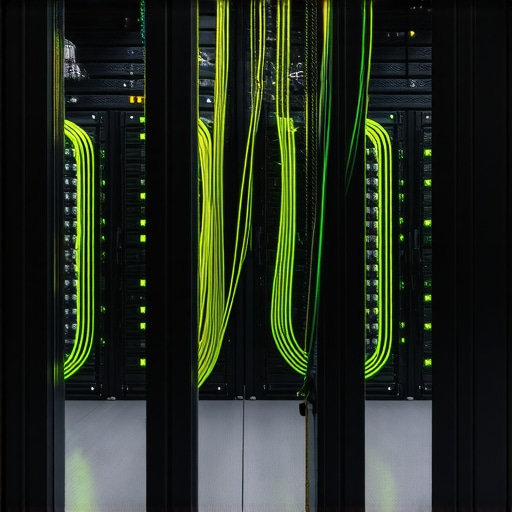
I walked into a ‘fully renovated’ office space last week—the kind with the fancy glass partitions and the $10,000 coffee machine. The manager called for a 24 hour emergency electrician because their internet kept dropping, and the air in the hallway smelled like a burnt toaster. I didn’t need my Wiggy to find the problem; I followed my nose to a closet the size of a phone booth. I opened the door, and a wall of 115-degree heat hit me. Inside, a flipper had buried three live junction boxes behind a custom-built rack of servers and switches. I found them with my Tick Tracer buried six inches deep in the drywall, right behind a tangled mess of patch cables. They had tapped into a 1970s aluminum-wired circuit to power the whole rack. It was a ticking time bomb, a classic ‘Flipper Special’ where aesthetics won and physics lost.
“The temperature rating of a conductor is the maximum temperature, at any location along its length, that the conductor can withstand over a prolonged period of time without serious degradation.” – National Electrical Code (NEC) 310.15
The Physics of the ‘Hot Box’: Why Resistance is Your Enemy
When we talk about network cable installation, people think about bits and bytes. As an inspector, I think about Joules and thermal energy. In a cramped data closet, heat is the primary cause of equipment failure and electrical fires. This happens through a process called Thermal Runaway. When your server equipment works harder, it pulls more amperage. If your home automation setup or commercial network is running on old, undersized Romex, the resistance in the wire generates heat. Heat increases the resistance of the copper, which in turn generates more heat. It’s a vicious cycle that ends with a melted connector or a charred bus bar.
The Component Zoom: The Micro-Disaster of Tight Zip Ties
Let’s zoom into the actual cabling. I see ‘pros’ pull network cable installation jobs where they cinch plastic zip ties so tight they actually deform the cable jacket. In the trade, we grab our Dikes and snip those off immediately. Why? Because you’re crushing the twisted pairs inside. This changes the impedance and creates a ‘hot spot’ for data loss, but more importantly, in Power over Ethernet (PoE) applications, it restricts the ability of the wire to dissipate heat. When you have 48 cables bundled tightly together without airflow, you’ve created a heating element, not a data trunk. This is why home rewiring services must include proper low-voltage pathways that aren’t choked by mechanical pressure.
Infrared Thermography Scans: Seeing the Invisible Threat
You can’t fix what you can’t see. That’s why I never sign off on a closet without infrared thermography scans. A thermal camera will show me a glowing lug on a breaker long before it trips. In Mid-Century buildings, we often find that the home rewiring services were done piecemeal. Someone added a chandelier installation here or a home automation setup there, all feeding back to a panel that’s already at 80% capacity. Under a thermal lens, those connections look like lightbulbs. If you’re seeing hotspots on your network switch or your demand response systems, you’re looking at imminent downtime. You can learn more about how we handle these issues in our guide on troubleshooting for lighting installations and heavy-load systems.
The Mid-Century Menace: Aluminum and Data Don’t Mix
If your building was put up between 1965 and 1975, you’re likely dealing with aluminum branch circuit wiring. In a data environment, this is lethal. Aluminum has a high coefficient of thermal expansion—it grows and shrinks significantly more than copper. This leads to ‘Cold Creep,’ where the wire literally crawls out from under the screw terminal on your outlet. This creates a loose connection, arcing, and eventually, a fire. When we perform knob and tube removal or aluminum remediation, we ensure that the data closet has a dedicated copper Home Run back to the main service panel. Anything less is just gambling with your hardware.
“Aluminum wire connections can overheat and cause a fire without tripping the circuit breaker.” – CPSC Safety Alert 516
Mitigation Strategies: From Attic Fans to Permit Pulling Services
How do we stop the heat? It starts with permit pulling services. Never let a ‘handyman’ touch your closet. A licensed electrician knows that a data closet needs its own cooling. Often, we recommend attic fan installation specifically to pull the stagnant, hot air out of those top-floor server rooms. We also look at demand response systems to manage how much power is being sucked through those lines during peak hours. If you are adding high-draw devices, like an EV charger, you need to ensure the whole system is balanced. Check out our tips on ensuring safe and efficient EV charging station setup to see how load management works across the board.
The Final Torque: Don’t Ignore the Fishy Smell
If you walk past your data closet and smell something ‘fishy,’ that’s not your lunch—it’s the smell of burning phenolic resin in your circuit breakers. It means an arc is currently happening. At this point, your equipment is already being damaged by ‘dirty’ power and voltage sags. Shut it down and call a pro. Proper lighting installations and data rack organization aren’t just about looking neat; they are about maintaining a low-resistance path for electricity to flow. Use Monkey Shit (duct seal) to plug the conduits so fire can’t travel between floors. Tighten your lugs to the manufacturer-specified torque (not just ‘arm-tight’). Sleep at night knowing your network isn’t trying to burn your house down. For those looking to keep their high-tech gear running, even your EV charger needs maintenance, just like your server rack.