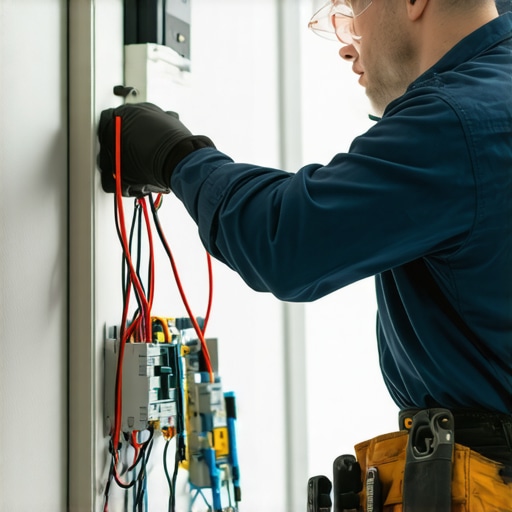
Ever had that sudden flicker in your living room light or a switch that refuses to turn on no matter how many times you press it? I remember the frustration all too well—standing in a dark room, feeling helpless, questioning whether I should call in a professional or risk making things worse. That moment of realization hit me hard: understanding basic lighting troubleshooting can save time, money, and a lot of stress.
Why Fixing Your Lights Matters More Than You Think
Lighting is more than just illuminating a room; it’s about safety, efficiency, and comfort. Faulty wiring or broken switches can pose fire hazards or lead to higher energy bills. Plus, with the rise of smart lighting, troubleshooting has become a bit more technical—yet, surprisingly manageable. When I first started tackling electrical issues myself, I made a costly mistake by ignoring small problems, which later turned into major repairs. Don’t let that be you! Getting a grip on common lighting issues means you can address them quickly and safely. Want to avoid costly electrician calls? Stick around, because I’ll walk you through the essentials, backed by expert advice and real-world experience.
Is DIY Troubleshooting Worth the Risk?
Many homeowners are skeptical about handling electrical issues on their own. The fear of electrocution or causing more damage is valid. I used to think that only licensed electricians could handle these problems. But I learned that with proper precautions and guidance, many lighting issues are solvable without risking safety or voiding warranties. For complex problems, I always recommend consulting a professional—especially for high-voltage or complex wiring. Curious about how to tell if your issue is DIY-friendly? I’ll cover the telltale signs and when to call in the experts, like those at Trusted Electricians.
If you’ve ever faced a stubborn flickering or a dead outlet, you’re not alone. These common issues are often simple fixes—if you know what to look for. Keep reading, because I’ll share practical tips that will empower you to troubleshoot safely and effectively, helping you keep your home bright and secure. Ready to become your own lighting hero? Let’s dive into the first steps that every homeowner should know to solve lighting problems swiftly and confidently.
Start With the Power Supply
Before diving into complex fixes, ensure your circuit breaker hasn’t tripped. I once faced a flickering light and initially blamed the bulb. Turns out, the circuit breaker had flipped off, interrupting power to that outlet. Check the breaker panel and reset any switches if needed. This simple step can save you hours of unnecessary troubleshooting.
Inspect the Light Fixture and Switch
Next, examine the fixture and switch for obvious issues. Loose wires or damaged components are common culprits. I once had a loose connection behind a wall switch, which caused intermittent lighting. Turn off the power at the breaker, then carefully remove the switch cover and tighten all wire connections. Use a voltage tester to confirm the circuit is dead before touching any wires. This initial inspection often reveals simple fixes that don’t require professional help.
Test the Bulb and Socket
Faulty bulbs or sockets can mimic more complex issues. Swap out the bulb with a known working one. If the new bulb lights up properly, the previous bulb was the problem. Also, inspect the socket for corrosion or damage. In my experience, cleaning corroded sockets with a brush or replacing worn-out sockets prevents flickering and ensures safety. Remember to turn off the power before handling sockets or bulbs.
Check the Wiring Connections
Loose or damaged wiring is a common cause of lighting issues. Use a voltage tester to verify if power is reaching the fixture. If you notice loose wires, tighten them securely. For damaged wiring, it’s best to consult an electrician, especially if the wiring runs inside walls. Properly secured connections prevent future problems and are safer. If you’re unsure, don’t hesitate to contact a professional—safety always comes first. For guidance on wiring repairs, see this electrician’s troubleshooting guide.
Evaluate the Switch or Dimmer
Sometimes, the problem lies with the switch or dimmer. Faulty switches can cause flickering or dead lights. Test the switch with a multimeter or replace it temporarily to see if the issue resolves. I replaced a faulty dimmer switch last year, which immediately improved lighting stability. Always turn off the power before removing switches and use appropriate tools. If the switch is integrated into a smart lighting system, check the app or reset the device as per manufacturer instructions. For more advanced troubleshooting, visit this troubleshooting resource.
Address Smart Lighting and New Installations
If you’re using smart lighting, ensure your Wi-Fi connection and app settings are correct. Sometimes, connectivity issues cause lights to flicker or not respond. Reset the smart bulb or system if needed. For new installations, double-check all connection points and follow proper wiring protocols—skipping steps can lead to safety hazards. For detailed instructions, see this step-by-step guide.
When to Call a Professional
If these steps don’t resolve the issue, or if you encounter complex wiring problems, it’s safest to contact a licensed electrician. Electrical issues can pose fire risks or lead to electrocution if mishandled. For reliable help, reach out through this contact page. Professionals can perform thorough diagnostics and ensure your home’s wiring adheres to safety standards.
Many homeowners believe that troubleshooting lighting issues is straightforward — just replace a bulb or reset a switch. However, this oversimplification can lead to costly mistakes or even safety hazards. Let’s dig deeper into some nuances that most people get wrong about lighting troubleshooting, and how understanding these can save you time, money, and stress.
Myth: The Problem Is Always the Bulb
It’s tempting to assume a dead or flickering light means replacing the bulb. While this is often the first step, in my experience, the root cause could be a loose wiring connection or a faulty switch. Relying solely on bulb replacement can mask underlying issues that worsen over time. For example, loose wiring behind a switch can cause intermittent flickering, which won’t be fixed by swapping bulbs. Make sure to inspect the socket and switch connections thoroughly and use a multimeter if needed. This proactive approach reduces the risk of fire hazards and ensures a more durable fix.
Myth: Smart Lighting Troubleshooting Is Just About Wi-Fi
Many believe smart lighting problems are solely due to Wi-Fi connectivity. While network issues can cause disconnects, advanced smart systems also depend on correct configurations, firmware updates, and sometimes even electrical supply stability. A common mistake is resetting the Wi-Fi router without checking the smart device’s firmware or app settings. If your smart bulbs flicker or don’t respond, consider resetting the device, updating its firmware, or verifying proper wiring. Ignoring these nuances can lead to repeated issues that frustrate users and make troubleshooting seem futile. For reliable guidance, check out this electrician’s troubleshooting guide.
Advanced Troubleshooting: When to Check Your Circuit Breaker
One advanced mistake is overlooking the circuit breaker. Many homeowners think a breaker trip only affects large appliances, but it can also cause flickering or dead outlets for lighting circuits. Circuit breakers can trip due to overloads or minor faults that aren’t immediately obvious. Regularly inspecting your panel and resetting tripped breakers can prevent ongoing issues. Also, if a breaker trips frequently, it indicates a deeper electrical problem that warrants professional attention. Don’t ignore these signs — understanding your electrical panel is a critical part of advanced troubleshooting. For guidance on this, visit this resource on home electrical safety.
In closing, avoiding these common misconceptions requires a deeper understanding of your home’s electrical system. Don’t fall into traps like assuming bulbs are always the culprit or ignoring the importance of the breaker panel. Remember, some issues are simple, but others require a nuanced approach or professional expertise. If you’re ever unsure, reaching out to a trusted electrician can keep your home safe and efficient. Have you ever fallen into this trap? Let me know in the comments.
Keeping your home lighting and EV charging stations in top shape requires more than just initial installation; it demands ongoing maintenance and the right tools. Over the years, I’ve refined my toolkit to include specialized equipment that ensures safety, efficiency, and longevity. Investing in these tools not only saves money but also helps you troubleshoot minor issues before they escalate into costly repairs.
My Go-To Electrical Multimeter
A high-quality multimeter is indispensable for diagnosing electrical problems. I personally prefer the Fluke 117 because of its accuracy, durability, and ease of use. It allows me to measure voltage, current, and resistance safely, providing instant feedback on wiring integrity or faulty components. When maintaining lighting or EV chargers, I use it regularly to verify connections and confirm circuit functionality. For comprehensive diagnostics, pairing the multimeter with a non-contact voltage tester helps prevent accidental shocks during inspections.
Why I Recommend a Circuit Breaker Finder
Identifying the correct circuit in your breaker panel can be time-consuming, especially in complex setups. My preferred tool is the Klein Tools CL110 because it simplifies this process. It helps me quickly locate the right breaker, reducing the risk of turning off the wrong circuit and causing unnecessary outages. This is particularly useful when working on smart lighting or EV chargers, where precise power management is critical. Regular testing of breakers using this device ensures they are functioning correctly, preventing unexpected trips which could damage connected devices.
Smart Home Compatibility and Management Software
As smart lighting and EV chargers become more prevalent, managing their performance over time is crucial. I use apps like the Philips Hue app for lighting and the ChargePoint app for EV stations. These software solutions enable me to monitor system status, schedule maintenance, and perform firmware updates remotely. Staying ahead of potential issues through software notifications can extend the lifespan of devices and prevent downtime. Additionally, integrating these tools with home automation platforms allows for seamless control and diagnostics.
How do I maintain lighting and EV chargers over time?
Routine inspections are vital. Every six months, I check wiring connections, clean contacts, and update firmware if needed. For lighting, replacing bulbs proactively before they burn out prevents flickering and outages. For EV chargers, inspecting cables for wear or damage and keeping connectors clean ensures reliable charging. Also, testing circuit breakers and ensuring proper grounding minimizes safety risks. Remember, regular maintenance with the right tools keeps your systems running efficiently and helps you catch issues early, saving money in the long run. For detailed maintenance routines, consult trusted resources like this guide on EV charger upkeep.
Looking ahead, the trend points toward smarter, more integrated electrical systems that automatically alert homeowners to issues before they become critical. Investing in diagnostic tools and software now prepares you for a future where proactive maintenance becomes standard, ensuring your lighting and EV charging setups are always ready when you need them. So, I encourage you to try out a multimeter or circuit breaker finder today—these small investments can make a significant difference in your home’s electrical health.
Remember, safety comes first. If you’re unsure about handling electrical components, don’t hesitate to contact a professional through this contact page. Proper maintenance and the right tools empower you to keep your home bright and your EV ready for the road.
Throughout my journey with home electrical systems, I discovered that the most valuable lessons often came from unexpected challenges. Here are the top insights I wish I had known earlier about troubleshooting lighting issues and ensuring home safety:
- The Hidden Power of Circuit Breakers — I used to overlook the breaker panel, assuming tripped switches only affected large appliances. Learning to regularly inspect and reset breakers prevented many flickering lights and dead outlets, saving me from unnecessary panic and costly repairs. Don’t forget, frequent breaker trips might signal deeper wiring issues that need professional attention.
- Wiring Woes Are More Common Than You Think — Loose or damaged wiring behind switches or fixtures can cause intermittent flickering. Using a multimeter to verify wiring integrity early on can avoid dangerous shorts or fires. I realized that a simple tightening of connections often resolved the problem without extensive rewiring.
- Smart Systems Need TLC Too — Connectivity issues in smart lighting systems are usually caused by outdated firmware or improper configurations, not just Wi-Fi problems. Resetting devices and updating firmware regularly ensures reliable performance. This proactive approach has kept my smart home functioning seamlessly.
- Don’t Underestimate the Power of Proper Tools — Investing in quality diagnostic tools like a Fluke multimeter or a Klein Tools breaker finder transformed my troubleshooting process. These tools help identify issues quickly and safely, empowering me to handle minor repairs confidently and reduce reliance on costly professionals.
My Essential Toolbox for Home Lighting and EV Charging
Having the right equipment makes all the difference. I rely on a high-accuracy multimeter like the Fluke 117 for precise measurements. For locating circuits efficiently, I trust the Klein Tools CL110. When managing smart systems, familiarizing myself with apps like Philips Hue and ChargePoint has been invaluable. Regular maintenance routines, including inspecting wiring, updating firmware, and testing breakers, have kept my home safe and efficient.
Your Turn to Shine Bright and Safe
Learning these lessons has transformed how I approach electrical troubleshooting. I encourage you to explore these tools and tips, building confidence in maintaining your home’s lighting and EV charging systems. Remember, safety always comes first—don’t hesitate to reach out to a professional if you’re uncertain about complex issues. Together, we can keep our homes bright, safe, and smart. Have you ever faced a tricky lighting problem that turned out to be something simple? Share your experience below and let’s learn from each other!
This post really hits home for me. I had a tricky flickering light in my living room that I initially thought was just a faulty bulb, but after some investigation, I discovered loose wiring behind the switch. Using a multimeter made all the difference—once I tightened the connections, the flickering stopped, and I felt much safer. It made me realize how important it is for homeowners to have basic troubleshooting skills rather than immediately calling an electrician for every minor issue. Have others found that inspecting connections behind switches or fixtures solves most of their flickering problems? I’d love to hear about personal experiences or tips for identifying wiring issues without risking safety.
Reading through this post really resonated with my recent experience troubleshooting a flickering kitchen light. I initially blamed the bulb, but after some research, I realized that a loose connection behind the switch was probably the culprit. Using a multimeter to verify wiring integrity, I managed to tighten the connections safely once I turned off the power at the breaker. It’s surprising how many minor issues like these homeowners can fix themselves with some basic knowledge and the right tools. I also found that inspecting the inside of switches or outlets regularly can prevent bigger problems later. However, I still wonder—how do you balance DIY troubleshooting with safety, especially when you’re not entirely confident? Are there signs that suggest it’s better to call a professional right away? Would love to hear others’ experiences and tips on handling these kinds of electrical issues safely.
This article really hits home for me. I’ve dealt with flickering lights and dead switches, and often the issue was just loose wiring or a faulty switch. I started learning and investing in basic tools like a multimeter, which empowered me to troubleshoot safely on my own. The key is always turning off the power before inspecting or working on electrical components. I’m curious, does anyone have tips on how to identify subtle signs of wiring issues before they become safety hazards? For example, can a gradual dimming or unusual buzzing be early indicators? I think it’s so helpful when homeowners educate themselves, not to replace professionals, but to know *when* to seek expert help. It’s all about balancing DIY confidence with safety, especially with more complex systems like smart lighting. Would love to hear other experiences or advice on maintaining home wiring. Thanks for sharing these practical tips!
This post really highlights how understanding the fundamentals of wiring and switches can prevent many common lighting issues. I’ve personally found that regular inspections of switches and fixtures with a multimeter saved me a lot of money and hassle. It’s empowering to diagnose simple problems on your own, especially when you’re cautious and follow safety protocols like turning off the power before inspecting wiring or replacing bulbs. I particularly appreciate the emphasis on knowing when to call a professional—safety must always come first. My experience has been that most flickering or dead lights are caused by loose connections or worn-out switches rather than faulty bulbs, so having the right tools and basic knowledge is invaluable. Has anyone else noticed that issues like buzzing dimmers or slight flickering gradually worsen over time before a complete failure? What signs have alerted you early enough to fix the problem proactively? Would love to hear more tips from others on catching wiring issues early before they turn into safety hazards.
I really appreciate this comprehensive guide. Switching from just swapping out bulbs to actually inspecting wiring and switches has been a game-changer for me. I remember a flickering in my living room that I initially thought was just a dead bulb, but after some research and cautious testing, I found loose wiring behind the switch. Using a multimeter, I tightened connections and it’s been smooth sailing since. It’s empowering to troubleshoot safely, although I do wonder—what are some telltale signs that a wiring issue might be more serious than just loose connections, such as signs of overheating or unusual smells? Also, for those hesitant to DIY, what safety precautions do you always follow before attempting to handle electrical components? I think the biggest takeaway for me is understanding my home’s electrical system better and knowing when to call a professional. What’s been your experience with DIY repairs? I’d love to hear more safety tips and real-world success stories.