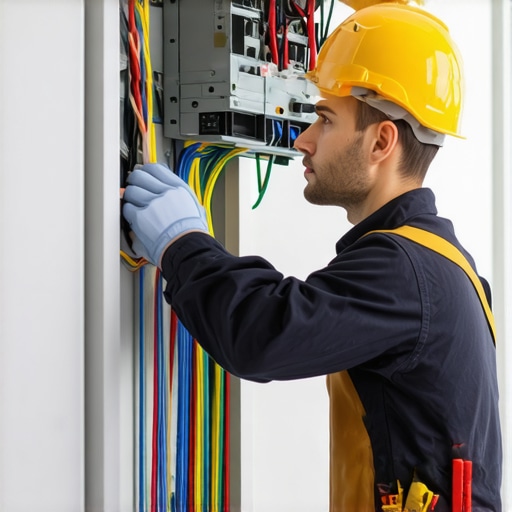
Ever experienced that moment when a flicker turns into a complete blackout in your smart home? I sure have. There’s nothing quite like realizing your smart lighting system isn’t working when you’re about to settle in for the night. It’s frustrating, stress-inducing, and makes you wonder if your entire home’s electrical setup is about to give out. But here’s the thing—most lighting issues aren’t as complicated as they seem. With a bit of know-how, you can troubleshoot and fix common problems yourself, saving time and money.
Why Fixing Your Smart Lighting Matters Right Now
Smart lighting isn’t just about convenience anymore; it’s about safety. Properly functioning lights help prevent accidents, improve security, and even save energy. According to the U.S. Department of Energy, smart lighting can reduce household energy use by up to 50%, which is a win for your wallet and the environment. But when your lights flicker, won’t turn on, or behave unpredictably, it undermines those benefits. Plus, poor wiring or faulty installations can pose safety hazards—something I learned the hard way early in my career. I once ignored a small flicker in my living room, thinking it was just a bulb issue. Turns out, it was a loose connection that could have sparked a fire if left unchecked.
Today, I want to share exactly how you can troubleshoot your smart lighting setup safely and effectively. Whether you’re dealing with flickering bulbs, dead switches, or unresponsive apps, these simple steps will help you restore your home’s safety and comfort. And if you’re considering upgrading your setup or installing new smart lights, I’ll point you towards trusted resources, including detailed guides on safe installations and troubleshooting best practices.
Have you faced persistent lighting issues that seemed impossible to fix on your own? Let’s change that. Keep reading to discover the practical tips that will empower you to troubleshoot like a pro.
Test Your Power Source Before Anything Else
Think of your home’s electrical system like a water pipe—if the main valve isn’t open, nothing flows. I once spent an hour troubleshooting a flickering smart bulb only to realize the circuit breaker had tripped during a storm. Always start by checking your circuit breaker panel or fuse box to ensure the power supply is active. Reset any tripped breakers and confirm that the outlet or switch is delivering power using a simple voltage tester or a working device. This foundational step prevents unnecessary replacements or adjustments down the line.
Inspect and Secure Connections Carefully
Loose wiring connections are a common cause of lighting issues. I remember installing a new smart switch and noticing intermittent flickering. It turned out the wire nuts weren’t fully tightened. Turn off the power at the breaker before inspecting your wiring. Remove the switch or fixture cover, then verify all wire connections are tight and secure. Use a screwdriver to snug any loose terminal screws. Properly secured wiring ensures current flows smoothly, reducing flickering or outages. If you’re unsure, consult a professional or learn more about how electricians tackle troubleshooting for lighting installations through this detailed guide.
Replace Faulty Bulbs and Switches
Sometimes, the issue is as simple as a burned-out bulb or defective switch. I replaced a dimming bulb that flickered constantly, only to find the new bulb flickered too. Testing with a known-good bulb can quickly identify if the problem is the bulb itself. Similarly, switches can degrade over time. Swap out suspect switches with a new, compatible model. Always ensure the power is off before replacing components. This straightforward fix can bring immediate relief and restore your lighting system’s reliability.
Use a Multimeter for Precise Diagnostics
For more advanced troubleshooting, a multimeter becomes your best friend. I once used one to measure voltage at a switch and discovered inconsistent readings, indicating a bad connection or faulty wiring. Set your multimeter to measure AC voltage, then carefully test at various points—outlets, switches, fixture connections. Consistent voltage readings confirm proper power flow; irregularities point to wiring issues that need correction. If you’re unfamiliar with multimeter usage, it’s worth learning or hiring an electrician. For expert tips on troubleshooting electrical wiring and safety, check this resource.
Check Compatibility and Firmware Updates
Incompatibility or outdated firmware can cause smart lights to behave erratically. I faced this when my smart bulbs wouldn’t respond after a firmware update. Always verify that your devices are compatible with each other and your home automation hub. Regularly update firmware through the app to fix bugs and improve stability. Manufacturers often release updates to enhance security and performance, preventing glitches before they start. Keeping your system current is a vital step in troubleshooting persistent issues.
When to Call a Professional
Despite these steps, some problems require expert intervention. If you’ve checked power, connections, replaced components, and still face issues, it’s time to consult a licensed electrician. They can perform comprehensive diagnostics safely, especially when dealing with complex wiring or high-voltage systems. Remember, electrical safety is paramount. For trusted assistance, reach out via this contact page.
Many homeowners believe that troubleshooting smart lighting is straightforward, but in reality, there are several misconceptions that can lead to costly mistakes or safety hazards. Let’s dig deeper into what most people get wrong about diagnosing and fixing smart lighting issues, and uncover the hidden nuances that can make a significant difference in your troubleshooting success.
Why Most Troubleshooting Tips Miss the Mark
One common myth is that replacing bulbs or resetting devices always solves the problem. While these steps are often effective, they can also be oversimplified solutions that overlook underlying wiring or compatibility issues. For instance, updating firmware can sometimes cause devices to become incompatible if not done properly. Regularly check for firmware updates through the app, but do so cautiously—following manufacturer instructions precisely. For more advanced troubleshooting, electricians often look beyond the surface, inspecting wiring connections and ensuring devices are compatible with your home’s electrical system—details that DIY guides sometimes ignore (learn how electricians troubleshoot lighting).
Another trap is assuming flickering or unresponsiveness is solely due to faulty bulbs. In fact, loose wiring or poor connections are often the root cause. In my experience, a loose terminal screw or a degraded switch can cause intermittent issues that mimic bulb failure. Using a multimeter to test voltage and current at various points can reveal hidden wiring faults that aren’t obvious visually (see electrical troubleshooting tips).
Advanced Mistakes to Avoid When Fixing Smart Lights
One critical mistake is neglecting device compatibility. Not all smart lights play well together, especially after firmware updates. This can lead to unpredictable behavior or complete failure. Always verify that your smart bulbs, switches, and hubs are compatible and up to date. Outdated firmware can cause bugs, so regular updates are necessary (keep devices current).
Furthermore, many homeowners overlook the importance of proper wiring when installing new smart fixtures. Improperly wired switches or outlets can cause persistent flickering or even safety hazards. Hiring a licensed electrician for complex installations or troubleshooting helps ensure safety and long-term reliability (electrician-guided troubleshooting).
Have you ever fallen into this trap? Let me know in the comments!
Maintaining a reliable smart lighting setup requires more than just initial installation; it demands ongoing care and the right tools. Over the years, I’ve refined my toolkit to ensure my systems stay responsive, efficient, and safe. Today, I want to share precisely what I use and why it’s crucial for long-term success.
Invest in a Quality Multimeter
A multimeter is indispensable for diagnosing electrical issues that can cause flickering or outages. I prefer a digital multimeter with true RMS measurement because it provides accurate readings even with complex loads. I personally rely on the Fluke 115, as it offers durability, precise readings, and ease of use. With it, I can check voltage at outlets, switches, and fixtures to identify inconsistent power flow—something that can save hours of guesswork. A multimeter can also help verify if wiring connections are secure or if there’s a short circuit lurking behind your walls.
Utilize Smart Home Management Apps
App-based troubleshooting is now a core part of my routine. I use the official manufacturer apps to check device firmware updates, which often fix bugs causing erratic behavior. I also monitor device logs and status reports through these apps, giving me early warnings of potential issues. For more complex troubleshooting, I turn to third-party apps like Home Assistant, which can integrate multiple devices and provide detailed info. These platforms help visualize network reliability and device connectivity over time, making maintenance more proactive than reactive.
Keep a Reliable Network Tester Handy
Network stability is critical for smart lighting. I use a Wi-Fi analyzer like NetSpot to scan for dead zones or interference points in my home. Identifying weak spots allows me to reposition my router or add access points, ensuring consistent connectivity. A solid network reduces device responsiveness problems and prevents glitches caused by packet loss or latency. As the trend toward mesh Wi-Fi systems grows, I predict more homeowners will adopt these to simplify network management and ensure their smart systems stay online seamlessly.
Regular Firmware Checks and Manual Reboots
Staying on top of firmware updates is a simple yet effective way to maintain system health. I schedule monthly checks via the app or website, ensuring my devices benefit from security patches and performance improvements. Additionally, I perform periodic manual reboots of my hub and critical devices. This practice clears temporary cache issues and refreshes network connections, preventing long-term sluggishness or unresponsiveness.
How do I maintain my lighting system over time?
Beyond tools, establishing a routine helps ensure longevity. I keep detailed notes on what has been checked or replaced, creating a maintenance log. This habit makes troubleshooting faster and helps spot patterns, such as recurring connection issues in certain areas. Also, I stay informed about the latest trends and updates in smart home tech by following trusted sources like electrician troubleshooting guides. With these practices and the right equipment, you can keep your smart lighting system reliable for years to come.
Now, I encourage you to try out a multimeter if you haven’t already. It’s an investment that pays off by helping you diagnose issues accurately and confidently. Remember, consistent monitoring and regular updates are key to keeping your smart home lighting shining brightly and functioning flawlessly.
The Hardest Lesson I Learned About Smart Lighting
One of the toughest lessons I learned was that not every flicker is just a bulb needing replacement. Sometimes, hidden wiring faults or outdated firmware are the culprits, which can cause persistent issues even after multiple replacements. Recognizing this early saved me money and prevented potential safety hazards.
Three Myths About Smart Lighting That Held Me Back
I used to believe that resetting the device or updating firmware was always enough. However, I found that incompatible devices or loose wiring connections often caused more problems. It’s crucial to verify compatibility and secure connections first before diving into software fixes.
What Experts Won’t Tell You About Troubleshooting
Often, the root cause of flickering lights isn’t obvious. A multimeter can reveal voltage inconsistencies or wiring degradation behind the scenes, which aren’t visible to the naked eye. Learning to use this tool effectively was a game changer in my troubleshooting approach.
Curated Resources for Smarter Troubleshooting
My essential toolkit includes a reliable multimeter like the Fluke 115, which provides precise readings and durability. I also rely on trusted apps and platforms such as Home Assistant to monitor device status and firmware updates. For professional guidance, I often consult detailed electrician guides like this comprehensive troubleshooting guide. Finally, a Wi-Fi analyzer helps me ensure my network is stable, eliminating one common source of smart lighting glitches.
Your Turn to Try
Upgrading your troubleshooting skills with these insights and tools can make your smart home safer and more reliable. Remember, persistent issues often hide behind simple appearances—so stay curious and proactive. Are you ready to diagnose your smart lighting like an expert? Share your experiences or questions below, and let’s troubleshoot together!