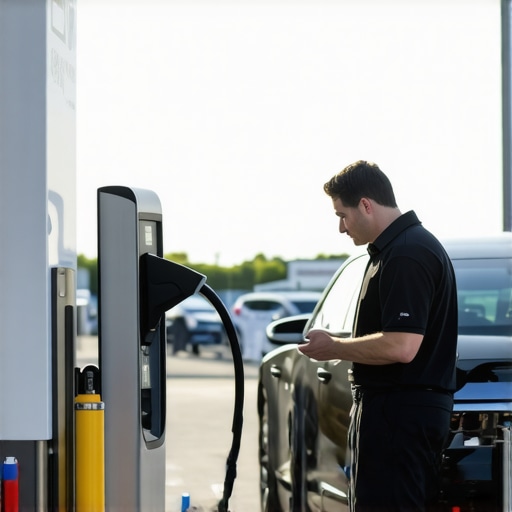
Ever been ready to hit the road, only to find your EV charger stubbornly refusing to work? I remember the frustration vividly—standing there, waiting for a charge, and nothing happening. That light on the charger just kept blinking, and I felt completely helpless. It’s a situation many EV owners face, and it can turn a simple charge into a stressful puzzle. But after some trial, error, and a few expert tips, I discovered ways to troubleshoot my charger efficiently and get back on the road faster.
Why Troubleshooting Your EV Charger Should Be Your First Step
When your electric vehicle isn’t charging properly, it’s tempting to call in a professional right away. But often, the problem isn’t complex or dangerous—it’s just a matter of understanding what to check first. Proper troubleshooting can save you time, money, and the headache of unnecessary service calls. Plus, it empowers you to take control of your EV experience, ensuring your charger’s performance stays optimal.
From loose connections to outdated software, many issues can be fixed with a little know-how. And trust me, I learned the hard way by rushing into expensive repairs without trying the basics first. Early on, I made the mistake of ignoring simple checks, which only prolonged the problem. That’s why I want to share some proven troubleshooting tips that have helped me—and can do the same for you.
Is DIY Troubleshooting Really Worth the Risk
It’s a common worry—am I risking safety or damaging my charger? My answer is: yes, if you’re not careful. But with proper precautions and a clear understanding of what you’re doing, troubleshooting can be safe and effective. Always turn off power before inspecting connections and use a trusted guide to identify issues. If at any point you feel unsure, don’t hesitate to reach out to a professional. You can learn more about safe troubleshooting practices from this expert guide.
Now, let’s dive into some practical steps to quickly identify and fix common EV charging issues. By following these, you’ll be able to diagnose problems confidently and get your EV charging system back in shape — faster and safer than ever.
Check the Power Supply First
Start by examining your electrical outlet or circuit breaker. Think of your EV charger like a high-performance appliance; if it doesn’t get power, nothing else matters. I once faced a blinking light on my charger, and after flipping the breaker, the issue was instantly resolved. Always ensure the circuit is active and supplying adequate voltage. Use a multimeter if needed to verify voltage levels, especially if you suspect a faulty outlet.
Inspect Connections and Cables Carefully
Next, look at your charging cable and connector. Loose or damaged connections are common culprits. Remember, a loose connection is like a weak handshake—causing communication breakdown. I once found my cable slightly unplugged, which caused the blinking light. Ensure the connector is fully inserted and lock it in place. Check for cracks, burns, or corrosion. If the cable shows signs of wear, consider replacing it or consulting an electrician for guidance.
Reset and Update Firmware
Many modern chargers have a reset button or a simple unplug-and-plug back in process. Doing this resets internal systems and can clear glitches. For software updates, consult your charger’s manual or manufacturer’s app. Outdated firmware can cause compatibility issues, similar to outdated apps causing crashes on your phone. I once updated my charger firmware, and it resolved persistent charging interruptions, making my daily commute smoother.
Verify the Circuit and Breaker Connections
Sometimes, the breaker controlling your charger might be loose or faulty. Turn off the breaker, then inspect the wiring for corrosion or loose connections—think of it like tightening a loose bolt on a bike. If you notice any melting or burnt wires, stop immediately and contact a professional. You can learn more about safe troubleshooting practices from this expert guide.
Test the Charger with a Different Outlet
If possible, plug your charger into a different power source. This step helps determine whether the problem is with the outlet or the charger itself. I once moved my charger to a different garage outlet, and suddenly the blinking stopped. This simple test saved me hours of unnecessary repairs.
Look for External Factors and Interference
Environmental factors like nearby heavy machinery or electrical interference can disrupt charging. Ensure your charger isn’t too close to other high-power devices. If you suspect interference, move your setup or turn off nearby devices temporarily.
When to Call a Professional
If you’ve tried all these steps and the problem persists—blinking lights, failure to start, or error codes—it’s time to contact a professional. Certified electricians can perform thorough diagnostics and ensure your setup is safe and compliant. You can reach out through this contact page for expert assistance.
Keep Your Charger in Top Shape
Regular maintenance helps prevent issues. Clean connectors, check for wear, and keep firmware updated. For more tips, see top maintenance tips.
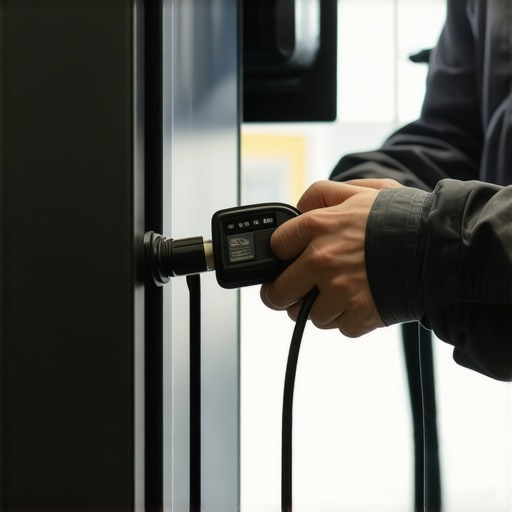
Many homeowners and even seasoned DIY enthusiasts fall into common traps when dealing with EV charger troubleshooting or lighting installations. One widespread myth is that if your charger or lighting fixture isn’t working immediately, it’s always a sign of a major fault. However, in my experience, a significant number of issues stem from overlooked details like improper wiring, outdated firmware, or environmental interference, rather than outright hardware failure. It’s crucial to understand that these problems often have nuanced solutions that require a keen eye for detail.
For example, a frequent mistake is assuming that all outlets are suitable for high-power EV chargers. Many people forget that older circuits or improperly rated outlets can cause blinking lights or slow charging. Always verify your circuit’s capacity and ensure it matches the manufacturer’s recommendations. An advanced mistake I’ve seen is neglecting to consider electromagnetic interference (EMI), which can disrupt charging signals. Moving your setup away from heavy machinery or other high-power devices can sometimes resolve persistent issues without expensive repairs.
Why Do Most People Overlook the Complexity of Electrical Troubleshooting?
The common belief is that troubleshooting is straightforward—check connections, reset devices, update firmware. But in reality, electrical systems are complex, and issues often involve multiple interconnected factors. A recent study by the National Electrical Code (NEC) emphasizes the importance of comprehensive diagnostics, including verifying wiring integrity, load balancing, and grounding. Rushing to replace hardware without analyzing these details can lead to repeated failures, costing more than a professional inspection in the long run.
Another trap worth noting is the assumption that professional electricians are only needed for installation. In fact, many advanced troubleshooting issues—like detecting subtle wiring faults or software conflicts—are best handled by experts. They use specialized tools and diagnostic techniques that go beyond basic checks. For lighting setups, consulting an electrician can prevent issues such as flickering lights or short circuits, which might seem minor but pose safety risks. For more insights, check this guide on lighting troubleshooting.
When it comes to EV chargers, a common mistake is ignoring firmware updates. Outdated software can cause compatibility issues or prevent the charger from communicating properly with your vehicle or app. Regularly updating firmware, much like updating your phone’s OS, keeps your system running smoothly and avoids hidden bugs that can cause persistent faults. Remember, troubleshooting isn’t just about fixing immediate issues but ensuring long-term reliability.
If you’re wondering about the deeper technical aspects—such as how to diagnose a faulty ground connection or how to interpret error codes—consulting resources like this expert troubleshooting guide will give you a nuanced understanding. It’s essential to approach electrical problems with a mindset that appreciates their complexity rather than seeking quick fixes.
Have you ever fallen into this trap? Let me know in the comments. Remember, safe and effective troubleshooting often requires patience, attention to detail, and sometimes, expert help. By understanding these hidden nuances, you’ll be better equipped to handle EV charger issues and lighting challenges confidently and safely.
How do I keep my EV charger and lighting systems running smoothly over time?
Maintaining your EV charging station and lighting installations requires a combination of the right tools, regular inspections, and proactive care. Over the years, I’ve found that using specific equipment and software can dramatically improve your ability to troubleshoot and prevent issues before they escalate.
One of my go-to tools is a high-quality digital multimeter. I rely on it daily to verify voltage levels at outlets and connections, ensuring your power supply remains stable. I prefer models like the Fluke 117, which offers true RMS readings and easy troubleshooting through accurate measurements. This tool helps me quickly identify voltage drops or wiring faults that could cause intermittent charging issues or flickering lights.
For software, I recommend investing in a diagnostic app compatible with your EV charger model. Many modern chargers support firmware updates and offer error code diagnostics through manufacturer apps. I’ve personally used the JuiceNet app, which provides real-time system status and alerts, so I can address minor issues remotely or plan maintenance tasks proactively. Regular firmware updates through these apps keep your charger compatible and secure, reducing long-term problems.
When it comes to lighting, a reliable circuit tester and a thermal imaging camera can be game changers. The circuit tester ensures your switches and outlets are wired correctly and safely. The thermal camera, like the FLIR One, allows me to scan lighting fixtures and wiring for hotspots indicating loose connections or overloads. Detecting these early prevents costly repairs and dangerous faults.
Maintenance isn’t just about tools; it’s about establishing a routine. Schedule periodic inspections—every six to twelve months—where you check all connections, test the power supply, and update firmware. Clean connectors with contact cleaner to prevent corrosion, and tighten any loose fittings. Keeping firmware updated via trusted apps ensures your system benefits from the latest safety features and performance improvements, much like maintaining your smartphone’s OS.
Looking ahead, I predict that smart diagnostic tools will become even more integrated, offering predictive maintenance based on usage patterns and sensor data. This trend will make troubleshooting faster and more precise, reducing downtime and extending equipment lifespan.
If you want to get serious about reliability, I encourage you to try using a thermal imaging camera for your next lighting inspection. It’s a small investment that pays off by preventing potential failures and ensuring safety. For detailed guidance and professional tips, check out this expert troubleshooting guide.
The Hardest Lesson I Learned About EV Charger Troubleshooting
One of the toughest lessons I faced was underestimating the importance of detailed wiring inspections. I once assumed a simple reset would fix blinking lights, only to find a loose ground wire was causing ongoing issues. That experience taught me that patience and a meticulous approach are crucial when troubleshooting your EV charger.
Why Flipping the Circuit Breaker Might Save You Hours
It might sound basic, but resetting your circuit breaker can clear hidden glitches that cause blinking or non-functioning chargers. I stopped rushing to replace parts and started always verifying my power supply first. This simple step has saved me a lot of time and money, and it’s a habit I recommend for anyone troubleshooting EV chargers.
My Go-To Tools for Reliable Troubleshooting
I rely heavily on a high-quality multimeter like the Fluke 117 to verify voltage levels and diagnose wiring issues. Additionally, using manufacturer diagnostic apps helps me stay updated on firmware and error codes, which often hold the key to resolving persistent faults. Combining these tools with regular firmware updates has drastically improved my troubleshooting success rate.
What I Wish I Knew About Environmental Factors
Environmental interference is often overlooked. Moving my charger away from heavy machinery or high-power devices reduced interference and improved charging stability. This insight was a game-changer, reminding me that sometimes, the solution isn’t hardware but environmental adjustments.
The Value of Professional Help When It Counts
Despite my DIY efforts, I learned that complex wiring faults or subtle ground issues are best handled by a professional electrician. Skilled diagnostics can prevent safety hazards and long-term damage. If troubleshooting doesn’t resolve your issue, don’t hesitate to reach out through this contact page.
My Essential Toolkit for EV Charger Maintenance
Investing in a thermal imaging camera, like the FLIR One, allows me to spot hotspots and loose connections early. Regular firmware updates via manufacturer apps and cleaning connectors with contact cleaner keep my setup reliable. These proactive steps help prevent surprises and extend the lifespan of my charger and lighting systems.
Your Turn to Tackle Troubleshooting
Remember, troubleshooting your EV charger isn’t just about fixing a problem—it’s about understanding your system better. Patience, the right tools, and knowing when to call a professional make all the difference. If you’ve encountered a tricky issue or found a clever solution, share your experience below. Let’s learn together and keep our EVs charging smoothly!
Reading through this troubleshooting guide really resonated with my own experiences. I’ve had my fair share of blinking lights and mysterious charging interruptions, especially when the environmental factors come into play. Moving my charger to a different outlet or away from high-power machinery often made a noticeable difference in stability. I also learned the hard way that ignoring firmware updates can lead to persistent errors; now I make it a point to keep everything updated regularly using the manufacturer’s app. One thing I’d add from my experience is the importance of inspecting grounding wires meticulously—sometimes a loose or damaged ground can cause subtle faults that are tricky to detect. Have others noticed that environmental interference or grounding issues tend to be more common than hardware faults? It might seem simple, but detailed inspections and proactive maintenance really do save a lot of headache in the long run.