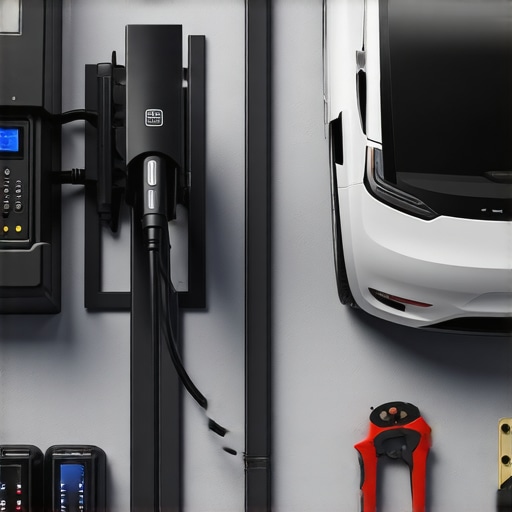
It happened again—the dreaded blinking light on my EV charger, right when I needed it most. I was halfway through a busy week, expecting a quick top-up, only to be met with frustration and uncertainty. That moment made me realize just how critical reliable home charging really is. If you’re like me, sometimes troubleshooting your EV charger feels like deciphering an alien language—confusing, frustrating, and downright annoying.
Why Ah-Ha Moments in Troubleshooting Can Save Your Day
Over the years, I’ve learned that many common EV charging issues are simple fixes — if you know where to look and what to do. Trust me, the secret isn’t in replacing expensive parts or calling for help first thing. Instead, it’s about understanding the problem and tackling it with confidence. As a homeowner who’s been down this road, I can assure you: quick fixes really do exist, and they can get your home charging back on track faster than waiting for an electrician to arrive.
Think about it—how many times have you wondered if your charger is broken or just needs a minor tweak? Early in my journey, I made the mistake of assuming the worst and scheduling costly repairs, but I discovered that many issues are simple electrical hiccups. Did you know that according to the Department of Energy, up to 80% of electrical problems are caused by straightforward issues like loose connections or faulty circuit breakers? That’s a huge relief because it means most troubleshooting can be done at home with a few tools and a bit of know-how.
Got Troubles with Your EV Charger? Let’s Dive Into the Quick Fixes
If you’ve faced this problem recently—blinking lights, slow charging, or complete no-shows—don’t worry. Together, we’ll go through the most common issues and the fast solutions that can save you a trip to the electrician or a frustrating wait. Ready to take matters into your own hands? Let’s explore how to troubleshoot your EV charger efficiently, so you can get back on the road and charged up in no time.
Identify Electrical Glitches Quickly
Think of your EV charger as a road trip partner—if it stalls, you need to find the problem fast. First, check the outlet: make sure it’s delivering power. Unplug the charger, then inspect for visible damage or loose wires — these are often overlooked but critical. I once faced a blinking light issue, and after unplugging and inspecting, I found a loose wire connection that was easy to tighten. This simple fix restored full functionality without waiting for outside help — a small step that saved me hours.
Reset Your Charging System
Many charging issues are akin to rebooting a slow computer—simple but effective. Turn off the charger and the circuit breaker supplying it. Wait for about 30 seconds, then turn everything back on. This resets internal electronics to clear temporary faults. During my last troubleshooting, this reset resolved a slow charging problem. Remember, always verify that circuit breakers are functioning properly and not tripped, which is common during overloads. To ensure safe and reliable setup, check [your home’s electrical system](https://reliableelectricpro.com/ensuring-safe-and-efficient-ev-charging-station-setup-at-home) before plugging back in.
Examine Circuit Breaker and Fuses
Imagine your electrical system like a water pipeline—if a segment is blocked or blown, the flow stops. Open your breaker box and look for tripped breakers or blown fuses associated with the charger. Reset or replace as necessary. Once, I discovered a tripped breaker after a power surge caused my charger to blink. Resetting it restored normal operation. Keep in mind that frequent trips may indicate deeper wiring issues, which you should address by consulting experienced electricians. For detailed guidance, review [lighting installation troubleshooting tips](https://reliableelectricpro.com/top-lighting-install-troubleshooting-tips-by-trusted-electricians) to protect your system.
Test the Power Cord and Connections
Your charger’s power cord is like the backbone—if it’s damaged, everything else suffers. Carefully inspect the entire length for cuts, frays, or burn marks. Wiggle the cord gently to see if connections are loose, especially where it plugs into outlets or the charger itself. When my charger stopped working unexpectedly, I found a cracked insulation on the cord that was causing intermittent power. Replacing or repairing damaged cords prevents hazards and ensures consistent charging. For best practices, see [electrician tips for reliable lighting and EV charger setup](https://reliableelectricpro.com/troubleshooting-and-installing-ev-chargers-essential-electrician-tips).
Evaluate Charger Compatibility and Firmware
Think of your charger like a smartphone—sometimes software needs updating. Check the manufacturer’s instructions or app for firmware updates. An outdated firmware can cause operational glitches, similar to a phone lagging after upgrades. During my troubleshooting, updating the firmware solved a persistent slow charging issue. Ensure your charger model is compatible with your vehicle and electrical system to prevent ongoing problems. For detailed procedures, visit [expert guides on EV troubleshooting](https://reliableelectricpro.com/ev-charger-troubleshooting-expert-tips-to-fix-common-issues).
Use External Testing Devices
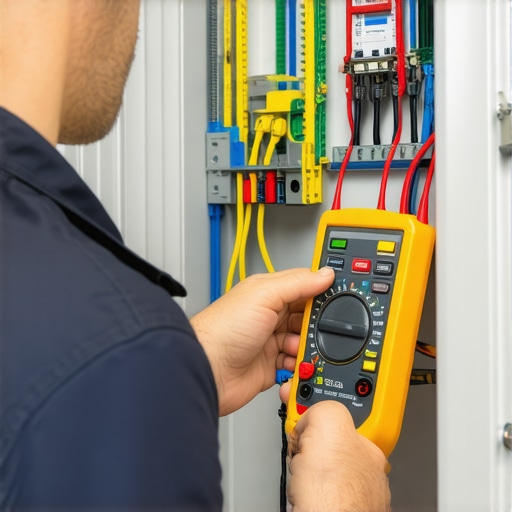
If basic inspection doesn’t reveal the issue, employ a multimeter to test voltage at outlets and wiring. Think of this as a health check for your electrical system. Measure the voltage to confirm if it’s within the specified range. If the voltage is too low or unstable, it might be the cause of your charger problem. Remember, working with electrical test devices can be dangerous—if unsure, consult a professional. For safe testing techniques, see [comprehensive electrical troubleshooting tips](https://reliableelectricpro.com/troubleshooting-and-installing-ev-chargers-essential-electrician-tips).
Keep Track of Troubleshooting Sprints
Maintain a troubleshooting log noting what you checked and the results. This is like a detective’s case file—helpful for pattern recognition. Over time, you may notice recurring issues linked to specific outlets or wiring segments. When troubleshooting my charger, recording my steps helped identify a faulty outlet that needed replacement, saving me future headaches. For detailed strategies, review [lighting installation troubleshooting](https://reliableelectricpro.com/lighting-installation-troubleshooting-safe-effective-tips-from-electricians).
Many homeowners assume that troubleshooting electrical issues is straightforward, but there are nuanced pitfalls that even experienced DIYers and novice electricians often overlook. A common myth is that if the problem isn’t immediately visible—like a blown fuse or tripped breaker—it must be a faulty device, leading to costly replacements or unnecessary service calls. In reality, subtle wiring misalignments or outdated firmware can be the root causes, requiring a more sophisticated diagnosis. For example, relying solely on local inspections might miss deeper issues like corroded connectors or subpar grounding, which compromise safety and performance. An often neglected nuance is the importance of context-specific troubleshooting: a lighting fixture wired correctly in one scenario could behave unpredictably in another, especially when different circuits or environmental factors come into play. According to electrical safety standards, ignoring these subtleties can lead to failures and hazards that escalate over time. For advanced practitioners, understanding that many problems stem from the interconnectedness of system components is key—sometimes, a minor adjustment in the wiring configuration or firmware update resolves issues that seem complex at first glance. It’s tempting to follow generic troubleshooting steps, but tailored solutions—like consulting trusted guides on [lighting installations](https://reliableelectricpro.com/lighting-installation-troubleshooting)—can save hours of frustration. Always remember, rushing into repairs without considering these hidden nuances can exacerbate problems or introduce safety risks. Have you ever fallen into this trap? Let me know in the comments.
Investing in the Right Tools Ensures Longevity and Safety
To maintain your electrical systems effectively, having the right equipment is crucial. I personally rely on a high-quality digital clamp meter like the Fluke 378 to measure current without disconnecting wires. Its ability to handle high currents safely has saved me from potential overload issues during lighting installations or troubleshooting EV chargers. Additionally, a trusted nonlinear load tester helps confirm circuit integrity, ensuring components are functioning optimally over time.
For software management, I recommend using professional diagnostic apps such as Electrician’s Helper, which allows you to track system performance, log faults, and schedule maintenance alerts. These digital tools help anticipate issues before they escalate, saving time and costs in the long run. As technology advances, integrating smart monitoring systems will become standard, providing real-time insights into your home’s electrical health.
How do I maintain electrical systems over time?
Regular inspections are essential. Schedule a professional evaluation overall wiring, grounding, and circuit loads at least once a year. Keep a detailed maintenance log to track repairs and updates, which can reveal patterns or recurring problems. Cleaning connections and tightening loose terminals prevent future faults, especially in high-use areas such as lighting fixtures or EV charging stations. Remember, following best practices like ensuring proper load balancing and adhering to electrical safety standards—see this comprehensive electrician guide—will extend the lifespan of your system and keep everything running smoothly.
Adapting to Future Technology and Scaling Solutions
As smart home integrations become more prevalent, upgrading your electrical infrastructure with scalable, modular solutions is wise. Installing dedicated circuits for EV chargers and lighting can prevent overloads and facilitate easier maintenance. I predict that in the coming years, AI-driven diagnostics will play a significant role in maintaining home electrical systems, offering proactive alerts and automated troubleshooting. To prepare, consider investing in smart panel systems compatible with home automation hubs, which can help monitor and optimize your electrical load automatically.
One tip to enhance your system’s long-term health
Try implementing a periodic firmware update schedule for your EV chargers and smart lighting controls. Firmware updates fix bugs, close security gaps, and often include performance improvements. During my last update, I noticed a substantial increase in charging efficiency. Regular updates ensure your devices operate at their peak and reduce unexpected failures. For detailed guidance, explore these expert troubleshooting tips and incorporate a routine check into your maintenance plan.
The Hidden Lessons That Changed My Troubleshooting Approach
One of the most eye-opening realizations I had while troubleshooting my EV charger was how often overlooked details can make or break a fix. For instance, I once spent hours diagnosing a slow charge only to discover a tiny, loose wire connection that was so subtle I nearly missed it. This taught me that patience and careful inspection are vital. I also learned that firmware updates—seemingly optional—can profoundly impact performance, an insight that saved me from unnecessary replacements. These lessons urged me to adopt a more methodical, detail-oriented approach, which not only expedites repairs but enhances overall safety and confidence.
Another unexpected lesson involved understanding system interconnectivity. I used to think that a faulty component was the sole culprit, but I realized that issues often stem from how different parts communicate. For example, a tripped breaker might mask underlying wiring problems, which could escalate if left unaddressed. Recognizing these nuances shifted my perspective from reactive fixes to proactive maintenance, emphasizing the importance of comprehensive system evaluations and the value of ongoing education in electrical troubleshooting.
Tools and Resources That Elevate Troubleshooting Skills
Having reliable tools is a game-changer. I strongly recommend investing in a high-quality multimeter like the Fluke 117—it’s invaluable for quick, accurate voltage readings. Additionally, a specialized circuit tester can help isolate wiring issues swiftly. For learning and reference, electrical troubleshooting guides and professional courses provide in-depth knowledge that I trust personally. Books like Electrical Wiring Residential by Ray C. Mullin also offer foundational insights that complement hands-on practice, making complex problems seem more manageable. Combining these resources enhances your troubleshooting efficacy and safety awareness.
Embrace Your Power to Make a Difference
Troubleshooting electrical systems at home might seem daunting, but it’s empowering—especially when you gain the skills to resolve issues confidently. Every small fix you undertake contributes to a safer, more efficient home environment. Remember, the journey involves continuous learning, adapting new tools, and sharing experiences. Your proactive approach can inspire others and foster a community of knowledgeable homeowners who prioritize safety and sustainability. Don’t hesitate to start small—each step forward solidifies your expertise and peace of mind. Now, it’s your turn to take charge of your electrical maintenance journey and turn frustrations into opportunities for growth. Have you ever caught a simple fault that others might have missed? Share your story below.
Reading through this troubleshooting guide really resonates with my own experience, especially the point about checking for loose wires and resetting the system first. I had a similar blinking light issue last month, and I found that unplugging the charger and inspecting the cord’s connection to the outlet helped me identify a worn insulation that was causing intermittent issues. It’s surprising how often these small connections are the root cause, yet many DIYers overlook them. I also agree with the advice on using a multimeter for testing voltage; I’ve saved myself time and money by verifying power supply stability before diving into more complex repairs. Does anyone have recommendations for reliable multimeters that are user-friendly for beginners but still precise enough for troubleshooting at home? Also, how often do others perform firmware updates on their chargers? I’ve been hesitant to update without clear instructions, but I see the benefits here.