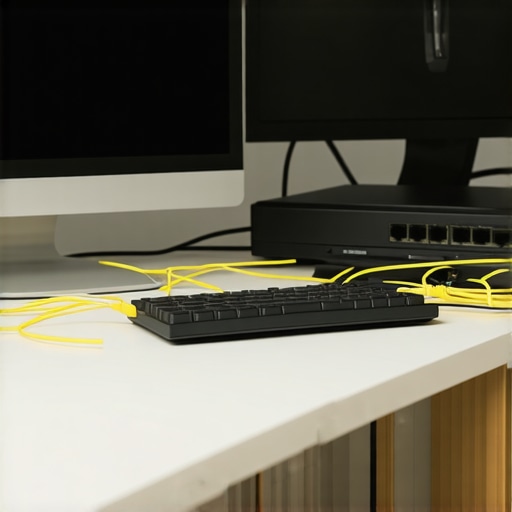
The Ghost in the Walls: Why Your High-Speed Office is Dragging
You’re sitting in your 2026 home office, surrounded by 8K monitors and AI-driven peripherals, yet your connection drops every time the refrigerator kicks on. You think it’s the ISP. You think it’s the router. You’re wrong. As a master electrician who has spent 35 years diagnosing the sins of the construction industry, I can tell you the lag is coming from inside the walls. Most people treat data cabling like extension cords, but in an environment where we are pushing 10-gigabit speeds through copper, physics doesn’t care about your convenience. I’ve seen it all—from wires gnawed by rodents to ‘pro’ installs where the data line was zip-tied to a hot 240V feed. If you want to stop the lag, we have to perform a forensic autopsy on your infrastructure.
“Aluminum wire connections can overheat and cause a fire without tripping the circuit breaker.” – CPSC Safety Alert 516
I recently walked into a ‘fully renovated’ kitchen where the flipper had buried live junction boxes behind a designer backsplash. The homeowner was complaining about signal drops in the office next door. I broke out my tracer and found the culprit: a CAT6 run literally touching a buried, ungrounded junction box that was arcing every time the toaster was used. That arc was creating a massive electromagnetic field, corrupting every packet of data trying to reach the router. If you’re living in a mid-century home, you aren’t just fighting slow internet; you’re fighting a 1960s electrical system that wasn’t built for a digital world.
Fix 1: The 60-Amp Panel Bottleneck and Power Factor Correction
If your home still operates on a 60 amp panel, you’re trying to run a marathon while breathing through a straw. Modern home offices, with their high-end speaker system setup, battery backup wiring, and multi-server rigs, create a ‘dirty’ electrical environment. A 60 amp panel upgrade is often the first step to a stable digital life. Why? Because voltage sags. When your HVAC pulls a heavy load, the voltage drops, and your network hardware—which is incredibly sensitive to power quality—goes into a tailspin. We also look at power factor correction to ensure that the energy your equipment consumes is used efficiently, reducing the heat generated at the bus bar. Heat is the enemy of conductivity. When those old breakers get hot, their internal resistance climbs, and suddenly, that clean signal you paid for is buried in noise.
Fix 2: Shielding from Aluminum Wiring Interference
Many homes built between 1965 and 1978 still have the original aluminum wiring. This is a nightmare for CAT6 stability. Aluminum has a higher coefficient of thermal expansion than copper, a phenomenon known as ‘Cold Creep.’ Over time, the wire expands and contracts, loosening the screws at the outlets. This creates micro-arcing. While it might not be enough to trip a breaker yet, it creates massive Electromagnetic Interference (EMI). If you’re running unshielded CAT6 (UTP) near these lines, your data packets are being shredded. Aluminum wiring repair, specifically using AlumiConn connectors or COPALUM crimps, is essential to stabilize the electrical field in your walls. Without this, your home office is essentially sitting inside a giant, noisy antenna. For those looking to secure their property further, certified journeyman services can identify these hotspots before they become fire hazards.
Fix 3: Eliminating NEXT and FEXT during the Rough-in
In the trade, we talk about ‘Rough-in’ and ‘Trim-out’ like it’s a choreographed dance. If the rough-in is sloppy, the trim-out is useless. The biggest killer of CAT6 speed is ‘Near-End Crosstalk’ (NEXT) and ‘Far-End Crosstalk’ (FEXT). This happens when the twists in the wire pairs are compromised. I’ve caught guys using ‘dikes’ to strip the outer jacket, nicking the copper inside. You nick that copper, and you’ve just created a ‘hot spot’ of resistance. When high-frequency signals travel through that wire, they hit that nick and reflect backward. It’s called Return Loss. You need a certified journeyman who understands that CAT6 cannot be bent at a 90-degree angle; it needs a sweeping radius. If you pull that wire too hard through a stud, you change the ‘lay’ of the twists, and suddenly your 10Gbps cable is performing like a 1990s phone line. Even fancy additions like permanent holiday lighting or complex speaker system setup can introduce noise if they aren’t properly isolated from your data runs.
“Communications circuits shall be separated at least 2 inches from conductors of any electric light, power, Class 1, non-power-limited fire alarm, or medium-power network-powered broadband communications circuits.” – NEC Article 800.133(A)(2)
Fix 4: Battery Backup Wiring and Harmonic Distortion
In 2026, a simple power strip doesn’t cut it. You need a dedicated circuit for your office with proper battery backup wiring. Cheap UPS systems generate ‘square wave’ power, which is full of harmonic distortion. This noise travels back through the ground wire and can actually interfere with your network’s physical layer. We recommend a double-conversion online UPS that provides a pure sine wave. While we’re at it, we often check for ‘bootleg grounds’—a classic handyman trick where the neutral is tied to the ground screw. It makes a ‘Tick Tracer’ beep like everything is fine, but it puts return current on the ground wire, turning your CAT6 shielding into a current-carrying conductor. That’s a ‘Widow Maker’ setup. If you’re seeing weird glitches, it might be time for troubleshooting that goes beyond a simple reboot.
The Forensic Conclusion: Sleep Better with Proper Torque
Electricity isn’t a hobby. It’s a force of nature that we’ve managed to trap inside copper pipes. When you’re pushing the limits of technology with drone light inspections or high-speed data, the margin for error disappears. Every screw in your panel needs to be torqued to spec—not ‘hand tight,’ but calibrated. Every CAT6 termination needs to be verified with a certifying tester, not just a cheap continuity light. Whether you’re dealing with EV charging station setup or just trying to finish a Zoom call without lagging, the integrity of your wiring is the foundation of your digital life. Don’t trust a flipper’s ‘renovation.’ Get a pro who knows the smell of ozone and the weight of a ‘Wiggy.’ Make sure your home is code-compliant, because at the end of the day, a fast connection is secondary to a house that doesn’t burn down. For emergency needs or system audits, remember that holiday emergency calls are often the result of ignoring these fundamental issues during the rest of the year. Stay safe, stay grounded, and keep your twists tight. {image_placeholder_1}