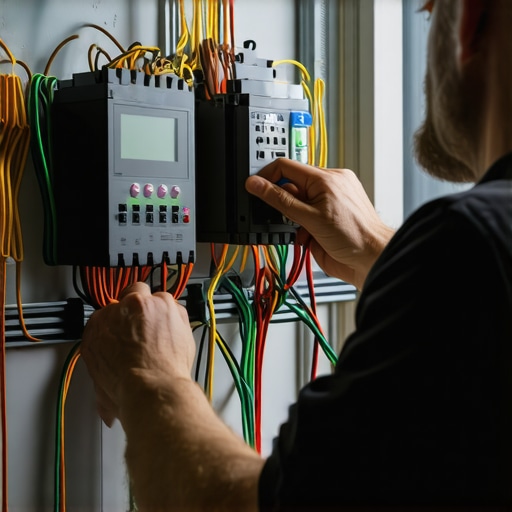
Ever been deep into a home wiring project or trying to get your smart lights to cooperate, only to be met with flickering bulbs or dead outlets? I’ve been there. One evening, I installed a new smart lighting system, feeling pretty confident—until the lights refused to turn on. Talk about a lightbulb moment! That frustration hit hard, but it also sparked my journey into mastering troubleshooting electric faults and smart lighting setups. If you’re tired of guessing why your lights flicker or your outlets go dead, stick around. Today, I’ll share practical tips and insights that can save you time, money, and a whole lot of hassle.
Why Fixing Electric Faults Is More Than Just a Nuisance
Electric faults can seem like minor annoyances—flickering lights, occasional outages, or switches that refuse to work. But beneath these symptoms could lie bigger safety issues. Faulty wiring or poor connections increase the risk of electrical fires or shocks. That’s why understanding the root causes and learning how to troubleshoot safely is essential. Early mistakes—like ignoring frequent flickering or trying to fix electrical problems without proper tools—can make things worse. I remember rushing into a repair without turning off the power, which nearly led to a shock! Since then, I’ve learned that patience and proper knowledge are key. For a comprehensive approach, check out this step-by-step guide on lighting installation made simple.
Have You Faced This Problem Before?
If you’ve ever wondered why your smart lighting isn’t responding or why an outlet keeps tripping, you’re not alone. These issues are common, and the good news is—they’re often fixable with a few troubleshooting tricks. But knowing where to start can be confusing, especially with so many variables involved. That’s why I’m here to guide you through the process, based on real experience and reliable electrician advice.
Next, we’ll explore how to identify the most common electrical issues in your home and how to address them safely. Whether it’s a flickering bulb or a dead outlet, understanding the cause is half the battle won. Ready to get your home back in sync? Let’s dive into the practical steps to troubleshoot and resolve these electrical gremlins.
Start with Safety and Power Down
Before touching anything, switch off the circuit breaker for the affected area. I remember a time I ignored this step while troubleshooting a flickering light, which nearly caused a shock. Ensuring the power is off prevents accidents and gives you a safe workspace. Use a voltage tester to confirm the circuit is dead, preventing surprises later. This step is like turning off the main water supply before fixing a leak—safety first.
Identify the Symptoms Clearly
Describe what’s happening: Is the light flickering intermittently, or is it dead altogether? Are outlets tripping frequently? I once diagnosed a dead outlet that, upon inspection, had loose wiring behind the wall. Clear symptoms help narrow down the cause. Write down what you observe to stay focused—flickering, buzzing sounds, or sparks. This clarity guides your next steps and avoids unnecessary checks.
Check Basic Connections and Switches
Loose or faulty connections are common culprits. Remove the switch cover or outlet faceplate carefully. Tighten any loose screws or connections. I once found a loose wire that was causing flickering lights; tightening it fixed the issue instantly. Use a screwdriver and, if needed, a wire stripper to ensure all connections are secure. Remember, loose wires are like loose puzzle pieces—they cause the whole picture to malfunction.
Inspect for Damaged Components
Look for signs of damage: burn marks, melted insulation, or corrosion. Replace any damaged parts immediately. I once encountered a switch with blackened terminals; replacing it restored normal operation. Always use the correct replacement parts rated for your circuit—cheap substitutes can be dangerous. If unsure, consult an electrician or check the wiring diagrams online.
Test Circuit Continuity and Voltage
With the power still off, use a multimeter to check continuity of wires and the integrity of the circuit. Turn the power back on briefly to measure voltage at outlets or switches, ensuring it matches standard levels (usually around 120V or 240V). I did this when troubleshooting a tripping outlet, which revealed a short circuit caused by damaged wiring hidden behind the wall. Proper testing confirms the root cause before proceeding to fix it.
Address Smart Lighting Specific Issues
Smart lighting problems often stem from Wi-Fi or power issues. Reset the smart bulbs or switches by turning them off and on, or remove and re-add them to the app. Check your Wi-Fi connection strength; weak signals can cause flickering or unresponsiveness. I once moved a router closer to my smart lights, which eliminated the flickering entirely. If the problem persists, update firmware or replace the device.
Consult Professional Resources When Needed
If troubleshooting doesn’t resolve the issue, consult detailed guides like lighting installation troubleshooting or contact a licensed electrician. Avoid guesswork with high-voltage repairs—your safety and property depend on proper handling. Sometimes, a professional’s expertise is the fastest way to fix complex issues and ensure everything meets safety standards.
Many homeowners and DIY enthusiasts believe they understand electrical troubleshooting thoroughly, but in reality, some widespread myths can lead to costly mistakes. Let’s dig deeper into what most people get wrong about fixing electrical faults, especially in home lighting and outlets, and uncover the hidden nuances that can make your troubleshooting more effective and safer.
Myth: Flickering Lights Are Always a Simple Fix
It’s common to think that flickering bulbs are just a matter of replacing a faulty bulb or tightening a loose connection. However, persistent flickering often hints at more complex issues like voltage fluctuations, faulty dimmer switches, or even wiring problems behind the wall. Ignoring these nuances can cause further damage or safety hazards. For example, a loose wire in a switch box can cause intermittent flickering and increase fire risk. Always verify the root cause before jumping to conclusions. For detailed guidance, check out this lighting troubleshooting guide.
Why Most People Overlook the Advanced Causes of Electrical Faults
One often overlooked aspect is the impact of load imbalance or aging wiring. As circuits age, insulation degrades, and connections loosen, leading to faults that mimic simple issues. A professional electrician uses tools like a multimeter to test circuit integrity and identify hidden problems, such as voltage drops or insulation breakdown. Relying solely on visual inspection or assumptions can mean missing these subtle but dangerous issues. This is especially true in smart lighting setups, where firmware issues or Wi-Fi interference might cause response failures, yet most homeowners overlook these advanced causes. To understand troubleshooting smarter, explore our expert safety tips.
Common Mistake: Ignoring Safety Protocols and Jumping Into Repairs
One of the biggest oops moments is neglecting to turn off power or failing to test circuits properly. For instance, I once attempted to fix a switch without switching off the breaker—luckily, I only got a mild shock. This mistake can be fatal, especially with high-voltage circuits. Always verify the power is off with a voltage tester before proceeding. Remember, safety isn’t a step you skip; it’s the foundation of effective troubleshooting. Proper safety measures can prevent accidents and ensure repairs are done correctly. For comprehensive safety tips, visit our lighting installation troubleshooting.
Have you ever fallen into this trap? Let me know in the comments. By understanding these hidden nuances and avoiding common myths, you can troubleshoot electrical issues with confidence, saving time and ensuring your home’s safety.
How do I keep my electrical systems running smoothly over time
Maintaining your home’s electrical system, including smart lighting and outlets, is crucial for safety, efficiency, and avoiding costly repairs. I personally rely on a combination of regular inspections and specialized tools to ensure everything stays in top shape. For instance, a digital multimeter is indispensable for me. It allows quick voltage checks and continuity tests, which are essential before performing any repairs or upgrades. I also use infrared thermal cameras periodically to spot overheating components that might not be obvious visually, preventing potential fire hazards.
Beyond tools, establishing a routine checkup schedule—every six months or after major electrical work—can catch issues early. This includes inspecting visible wiring, tightening loose connections, and confirming that switches and outlets are functioning correctly. Remember, safety always comes first; always turn off power before inspecting or working on electrical components. When in doubt, consulting detailed guides like lighting installation made simple can provide valuable step-by-step insights.
What tools are essential for keeping your electrical system reliable
Investing in high-quality, reliable tools is key. I recommend a digital multimeter with auto-ranging capability—this simplifies testing voltage, resistance, and continuity without fuss. A non-contact voltage tester is also vital for quick safety checks, especially when working in unfamiliar areas. For smart lighting, a good Wi-Fi analyzer helps diagnose connectivity issues that might cause flickering or unresponsiveness. Additionally, a reliable circuit tester ensures your circuits are correctly grounded and protected.
In the future, I predict smart home systems will increasingly integrate diagnostic features that alert homeowners to potential faults before they become serious. This proactive approach will make maintenance even easier and safer, reducing the need for manual inspections and guesswork. To stay ahead, consider tools that sync with your smartphone, providing real-time data and alerts. For example, some advanced multimeters now come with Bluetooth connectivity for seamless data logging and remote diagnostics.
Make your system last with routine checks and updates
Regular updates to smart device firmware and software patches are just as important as hardware maintenance. Keep your smart lighting apps and firmware current to prevent bugs and security vulnerabilities. Also, periodically review your electrical setup with professional electricians—many offer comprehensive safety inspections. This not only prolongs the lifespan of your system but ensures it operates at peak efficiency.
Start implementing these maintenance strategies today. Try setting a reminder for a biannual inspection, and invest in a quality multimeter if you haven’t already. Keeping your electrical system in excellent shape now will save you headaches and expenses later. For detailed maintenance tips for EV chargers and other home systems, visit top EV charger maintenance tips.
Lessons from the Front Lines of Home Wiring
- One of my biggest lightbulb moments was realizing that flickering isn’t always a bulb issue; often, it’s a sign of deeper wiring problems that could pose fire hazards. Trust me, rushing to replace bulbs without inspecting connections can be dangerous.
- Early in my DIY days, I ignored the importance of turning off the power. That mistake reminded me that safety protocols aren’t optional—they’re the foundation of effective troubleshooting.
- Over time, I learned that smart lighting issues are frequently related to Wi-Fi interference or outdated firmware, not just wiring. This expanded my troubleshooting toolkit beyond traditional methods.
- Consulting detailed guides like lighting installation made simple helped me develop confidence in handling more complex electrical faults safely.
- Finally, understanding that advanced causes—like load imbalance or aging wiring—can mimic simple issues changed how I approach diagnostics, saving me time and preventing potential hazards.