The Smell of a Flipper’s Mistake
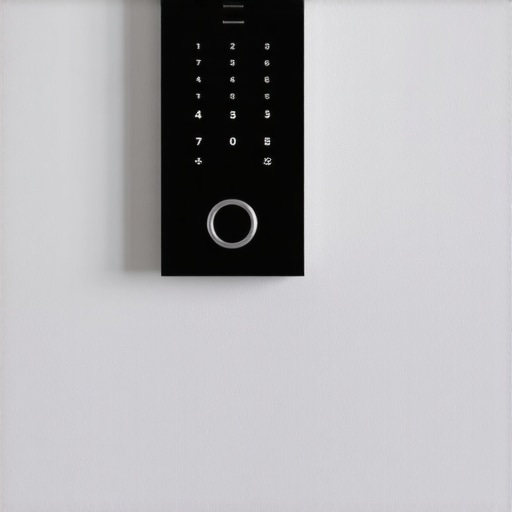
I walked into a 1974 split-level last Tuesday where the new owner wanted a high-end smart home integration. They had the fancy touchscreen keypads, the remote-access deadbolts, and enough Wi-Fi-enabled gadgets to jam a radar station. But as soon as I pulled the cover plate off the main entry switch, the metallic tang of ozone hit my nose. I didn’t even need my Wiggy to know something was rotting. The previous ‘renovator’ had buried a live junction box three inches behind the new drywall, and they’d used masking tape instead of wire nuts to tie the Romex together. I found it with my tick tracer before the wall started smoking, but it was a textbook example of why ‘smart’ tech doesn’t fix ‘stupid’ wiring. When you’re integrating electronic keypads into an existing setup, you aren’t just playing with apps; you’re modifying a life-safety system that was likely designed before the internet existed.
The Mid-Century Time Bomb: Aluminum and Cold Creep
If your home was built between 1960 and 1980, you’re likely sitting on a ticking clock of aluminum wiring. The physics of failure here is brutal. Aluminum has a high coefficient of thermal expansion—it grows and shrinks significantly more than copper when current flows through it. This leads to a phenomenon we call ‘Cold Creep.’ Every time you turn on a heavy load, like a workshop electrical setup or a high-powered ceiling fan installation, that wire expands. When it cools, it doesn’t quite return to its original shape. Over a decade, the connection under the screw terminal on your new smart keypad loosens. That loose connection creates resistance. Resistance creates heat. Heat creates a fire.
“Aluminum wire connections can overheat and cause a fire without tripping the circuit breaker.” – CPSC Safety Alert 516
This is why bonded insured electrical work is the only way to handle these upgrades. You can’t just shove a modern copper-leaded keypad onto an old aluminum branch circuit without using AlumiConn connectors or COPALUM crimps. If you do, you’re just inviting a Widow Maker scenario into your living room.
The Neutral Wire Crisis
Most ‘smart’ keypads and switches require a dedicated neutral wire to power their internal radios and logic boards. In older rough-in designs, the neutral often bypassed the switch box entirely, heading straight to the light fixture. DIYers frequently see a bundle of white wires in the back of the box and assume they can just tap in. In a mid-century home, that ‘neutral’ might actually be part of a multi-wire branch circuit sharing a neutral with a completely different phase. If you break that connection, you could send 240 volts through your 120-volt electronics, frying your new keypad and potentially your emergency exit lighting system in one go. We see this often during same day service appointments where a homeowner ‘just swapped a switch’ and suddenly the microwave started screaming. Before you install, you need a forensic look at your grounding electrode install to ensure you have a clean path to earth, or your smart home will be nothing but a collection of expensive paperweights.
Microgrids and the Modern Load
We are moving toward microgrid integration and temporary power services for home backup, which adds another layer of complexity to your keypad setup. These systems require precise communication between the utility or battery source and your home’s control points. If your panel is an old Federal Pacific or Zinsco, the bus bars are likely already corroded. These brands are notorious for ‘jamming’—the breaker looks like it’s on, but the internal pivot is fused. When your smart system tries to switch loads during a peak-shaving event, an old breaker might fail to trip during an overcurrent, turning your wall into a toaster element. This is why a full panel changeout is often the prerequisite for a truly smart home. It’s not an ‘upsell’; it’s the difference between a functioning home and a forensic investigation. If you’re planning an EV charger setup, you must ensure your service can handle the continuous load. You can find more on this in our guide to safe and efficient EV charging station setup.
The Forensic Inspection: Why Torque Matters
When we do a trim-out for smart keypads, I use a torque screwdriver. It sounds like overkill until you realize that a quarter-turn too loose causes arcing, and a quarter-turn too tight can snap the fragile brass terminal on a $200 keypad. We use vibration analysis services in industrial settings to find these loose connections, but in a home, we rely on the thermal signature and mechanical integrity. If you’re doing a workshop electrical setup, the vibration from heavy machinery can actually vibrate wires out of their terminals over time if they weren’t torqued to spec. I’ve seen emergency exit lighting fail during a power outage because the terminal was hand-tightened by a guy who thought he knew better than the manufacturer’s specs.
“All switch and receptacle terminals shall be torqued to the values marked on the equipment or provided in the instructions.” – NEC 110.14(D)
Grounding and Surge Protection
A smart keypad is essentially a small computer in your wall. It is incredibly sensitive to voltage spikes. If your grounding electrode install is 40 years old, the copper-clad rod in the dirt has probably rotted away to a nub. Without a solid ground, surges from the utility or even from your own ceiling fan installation have nowhere to go but through your keypad’s delicate circuitry. This is where drone light inspections can actually help in large properties to check for lightning protection integrity, but for the average home, it’s about making sure your main bonding jumper is secure and that you have a whole-home surge protector at the panel. If you are experiencing issues, check our EV charger troubleshooting tips which cover similar surge and grounding problems. Don’t forget to use monkey shit (duct seal) around exterior penetrations to keep moisture from wicking into your electronics and causing galvanic reaction on the terminals. It’s a dirty job, but it keeps the system alive.
Final Walkthrough
Integrating electronics into a house built for incandescent bulbs and mechanical switches is a marriage of two different eras. You need to respect the physics of the old infrastructure. Check your Romex for brittleness, use your dikes to clean up any nicked copper, and never, ever bury a junction box. If you’re unsure about the state of your wiring, contact us for a professional evaluation. Electricity doesn’t care about your smart home’s features; it only cares about the path of least resistance. Make sure that path doesn’t go through your studs.